ECShop项目部署
ECShop项目部署
本次选择离线部署
为什么?
因为路由器坏了虚拟机连不上网……
依赖版本
操作系统:CentOS 7.1.1503 (Core)
MySQL数据库:mysql 5.7.31
Web服务器:Apache  2.4.6
PHP环境:PHP 5.4.16
CentOS配置
关闭防火墙
systemctl stop firewalld.service
systemctl disable firewalld.service
删除mysql/mariadb
rpm -qa | grep mysql
rpm -qa | grep mariadb
rpm -e --nodeps mariadb-libs-5.5.41-2.el7_0.x86_64    #有的话
上传压缩包
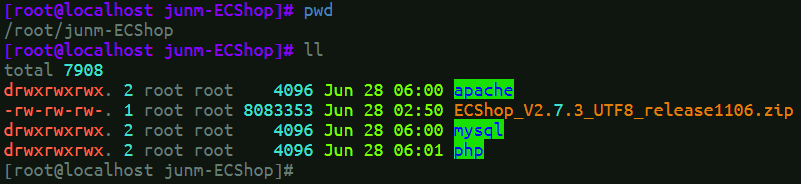
把整理好的压缩包上传到/root,然后解压缩
unzip junm-ECShop.zip
环境部署
安装MySQL
进入目录
cd /root/junm-ECShop/mysql
安装
rpm -ivh mysql-community-common-5.7.31-1.el7.x86_64.rpm
mysql-community-libs-5.7.31-1.el7.x86_64.rpm
mysql-community-client-5.7.31-1.el7.x86_64.rpm
mysql-community-server-5.7.31-1.el7.x86_64.rpm
启动
systemctl start mysqld
systemctl enable mysqld
查看密码
cat /var/log/mysqld.log | grep password
登录
mysql -u root -p #密码输入上一步查的密码
修改密码(可选)
ALTER USER 'root'@'localhost' IDENTIFIED WITH mysql_native_password BY 'Junm123.';
SET GLOBAL validate_password_policy = LOW;
SET GLOBAL validate_password_length = 4;
ALTER USER 'root'@'localhost' IDENTIFIED WITH mysql_native_password BY '123456';
安装Apache
进入目录
cd /root/junm-ECShop/apache
安装
rpm -ivh apr-1.4.8-3.el7.x86_64.rpm
apr-util-1.5.2-6.el7.x86_64.rpm
mailcap-2.1.41-2.el7.noarch.rpm
httpd-2.4.6-45.el7.centos.x86_64.rpm
httpd-tools-2.4.6-45.el7.centos.x86_64.rpm
启动
systemctl start httpd
安装PHP
进入目录
cd /root/junm-ECShop/php
安装
rpm -ivh libzip-0.10.1-8.el7.x86_64.rpm
php-common-5.4.16-42.el7.x86_64.rpm
php-cli-5.4.16-42.el7.x86_64.rpm
php-pdo-5.4.16-42.el7.x86_64.rpm
t1lib-5.1.2-14.el7.x86_64.rpm
php-5.4.16-42.el7.x86_64.rpm
php-mysqlnd-5.4.16-42.el7.x86_64.rpm
php-gd-5.4.16-42.el7.x86_64.rpm
php-mbstring-5.4.16-42.el7.x86_64.rpm
php-xml-5.4.16-42.el7.x86_64.rpm
验证
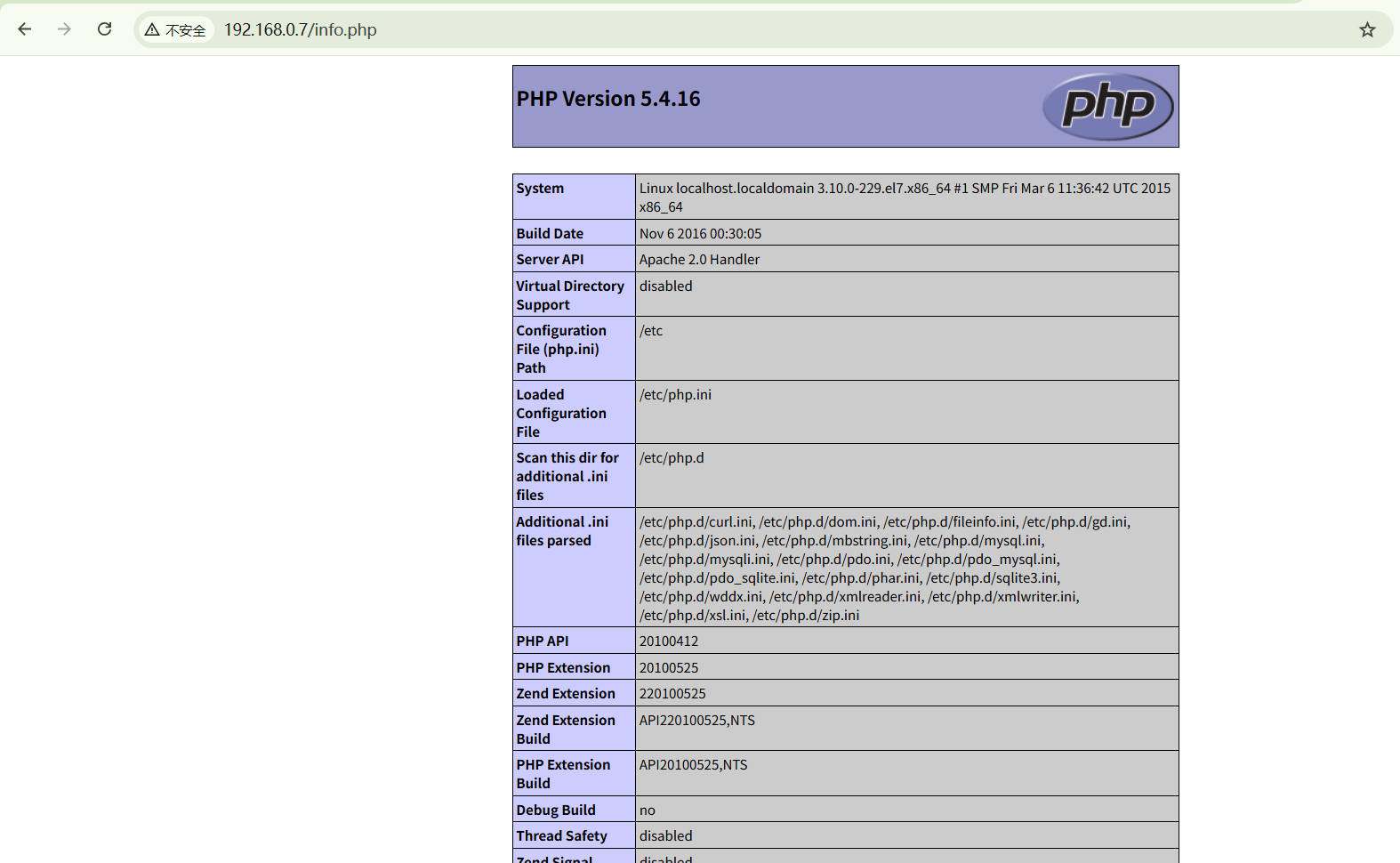
echo '<?php phpinfo(); ?>' > /var/www/html/info.php
systemctl restart httpd
打开 http://192.168.0.7/info.php(虚拟机ip)
项目部署
前置
创建目录
mkdir /var/www/html/ecshop
cd /var/www/html/ecshop
解压缩
cp /root/junm-ECShop/ECShop_V2.7.3_UTF8_release1106.zip .
unzip ECShop_V2.7.3_UTF8_release1106.zip
安装
打开 http://192.168.0.7/ecshop/install/index.php(虚拟机ip)
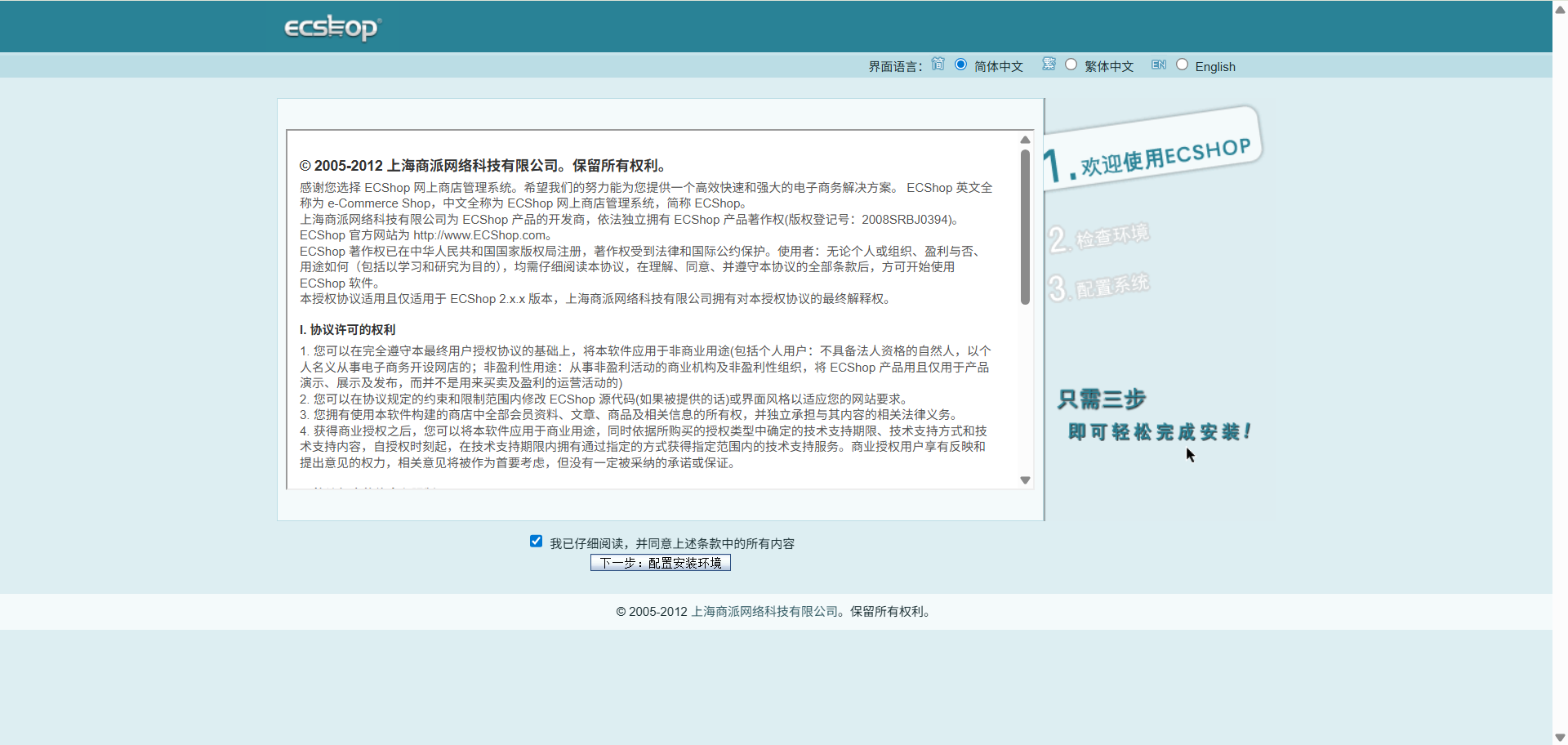
点击同意、下一步
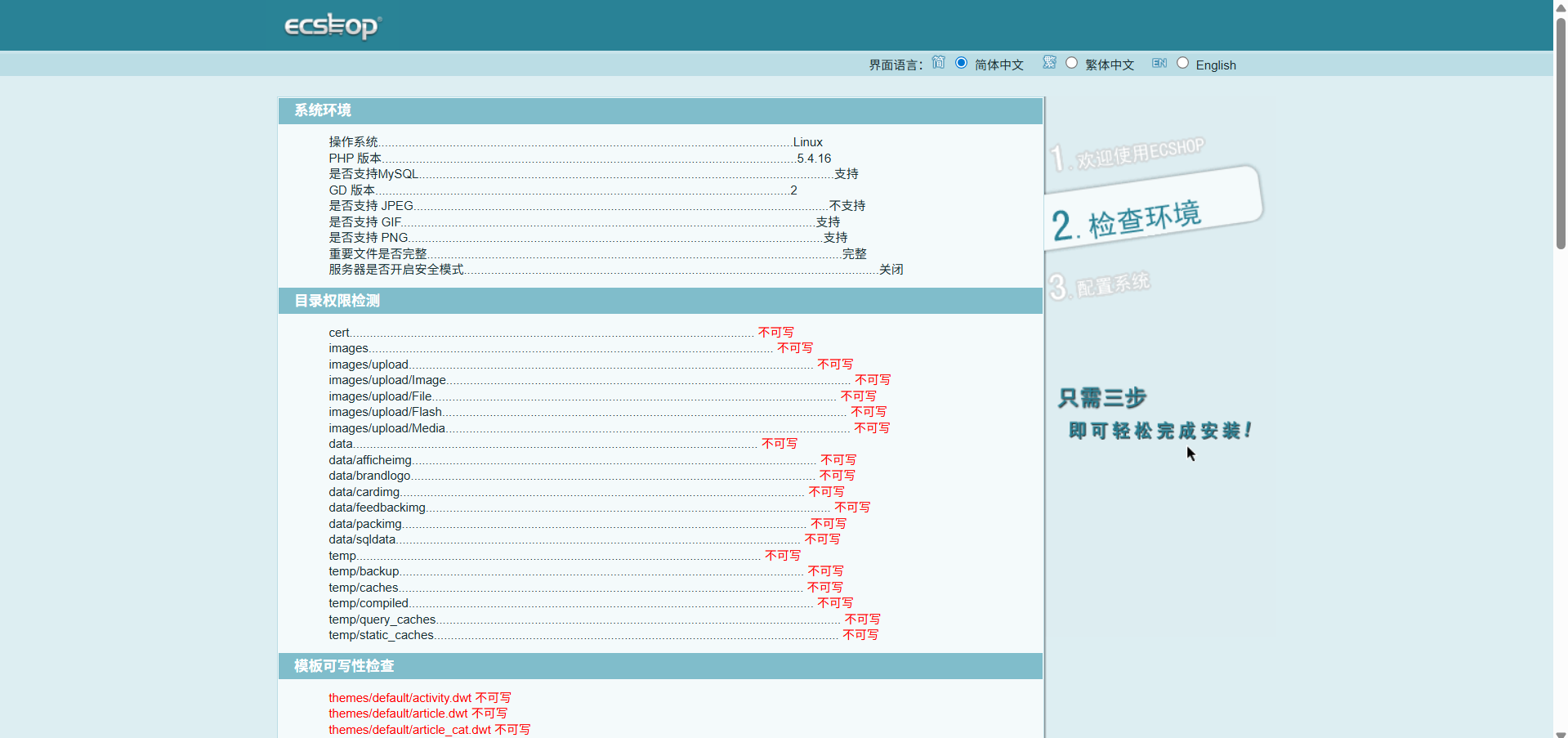
一堆问题…
安装问题解决
1、头部报错
Strict Standards: Non-static method cls_image::gd_version() should not be called statically in /var/www/html/ecshop/install/includes/lib_installer.php on line 31
sed -i 's/function gd_version()/public static function gd_version()/' /var/www/html/ecshop/includes/cls_image.php
2、JPEG不支持
sed -i '98s/JPG/JPEG/' /var/www/html/ecshop/install/includes/lib_installer.php
3、目录和模版不可写
#权限
chmod -R 777 data temp cert includes images themes

# SELinux 规则,允许apache读写
semanage fcontext -a -t httpd_sys_rw_content_t "/var/www/html/ecshop/cert(/.*)?"
semanage fcontext -a -t httpd_sys_rw_content_t "/var/www/html/ecshop/images(/.*)?"
semanage fcontext -a -t httpd_sys_rw_content_t "/var/www/html/ecshop/data(/.*)?"
semanage fcontext -a -t httpd_sys_rw_content_t "/var/www/html/ecshop/temp(/.*)?"
semanage fcontext -a -t httpd_sys_rw_content_t "/var/www/html/ecshop/images/upload(/.*)?"
semanage fcontext -a -t httpd_sys_rw_content_t "/var/www/html/ecshop/themes/default(/.*)?"

#应用规则
restorecon -Rv /var/www/html/ecshop/
刷新页面继续下一步
配置系统
如图:
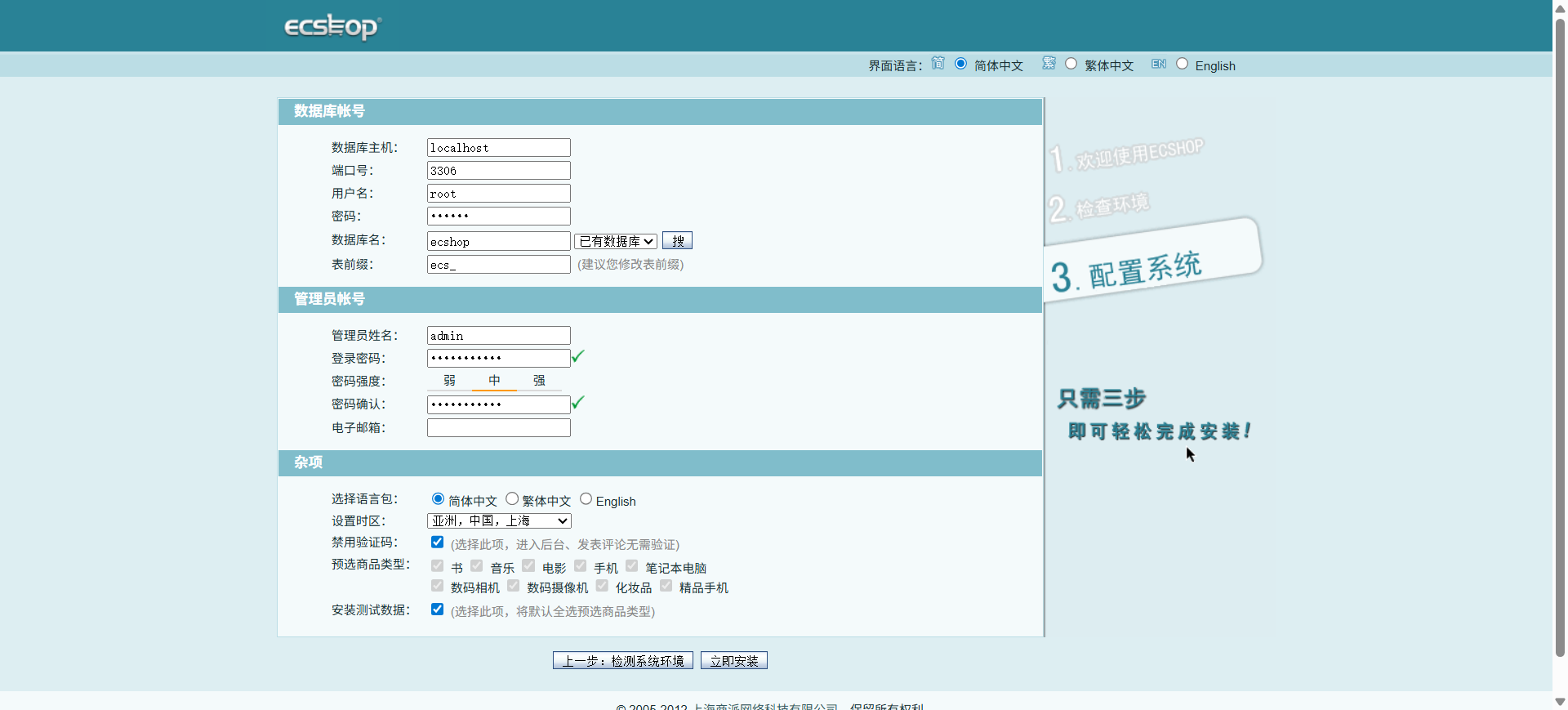
这里可能会报错
Warning: date_default_timezone_get(): It is not safe to rely on the system’s timezone settings. You are required to use the date.timezone setting or the date_default_timezone_set() function. In case you used any of those methods and you are still getting this warning, you most likely misspelled the timezone identifier. We selected the timezone ‘UTC’ for now, but please set date.timezone to select your timezone. in /var/www/html/ecshop/install/includes/lib_installer.php on line 223
解决
sed -i "2i\date_default_timezone_set('Asia/Shanghai');" /var/www/html/ecshop/install/includes/lib_installer.php
安装成功
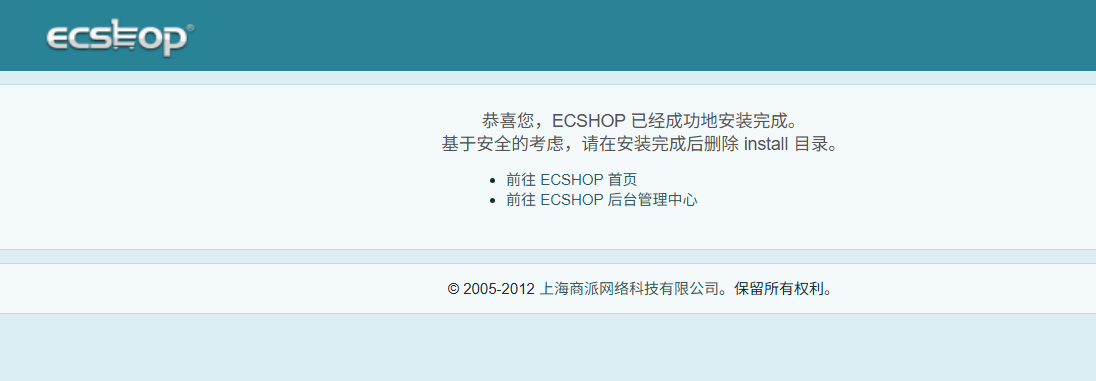
听话,把install目录删掉
rm -rf /var/www/html/ecshop/install
前后台报错解决
后台

前台
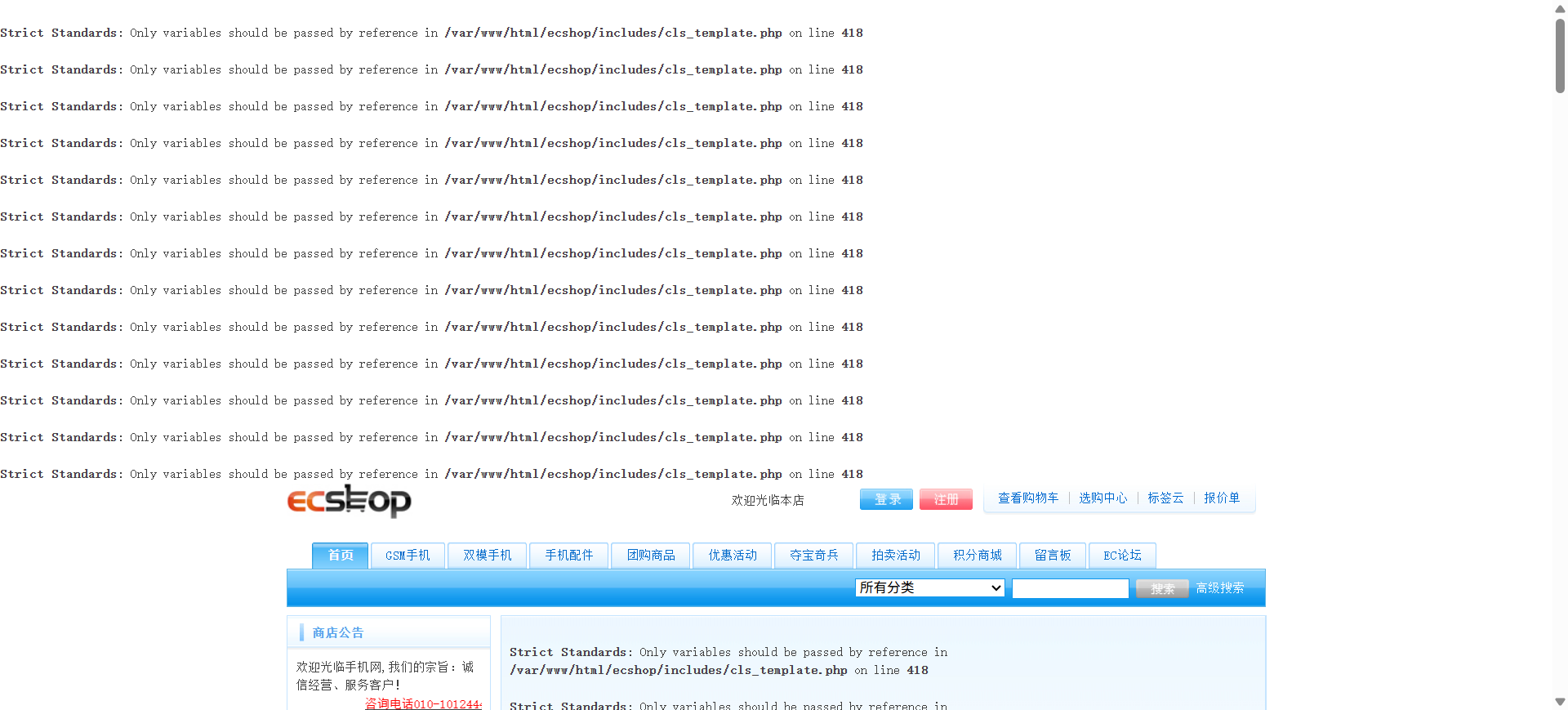
解决
sed -i "418s/$tag_sel = array_shift(explode(' ', $tag));/$tag_parts = explode(' ', $tag); $tag_sel = array_shift($tag_parts);/" /var/www/html/ecshop/includes/cls_template.php
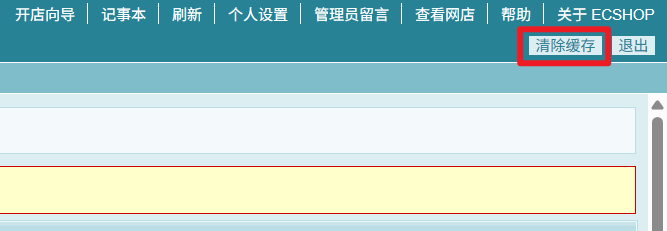
效果
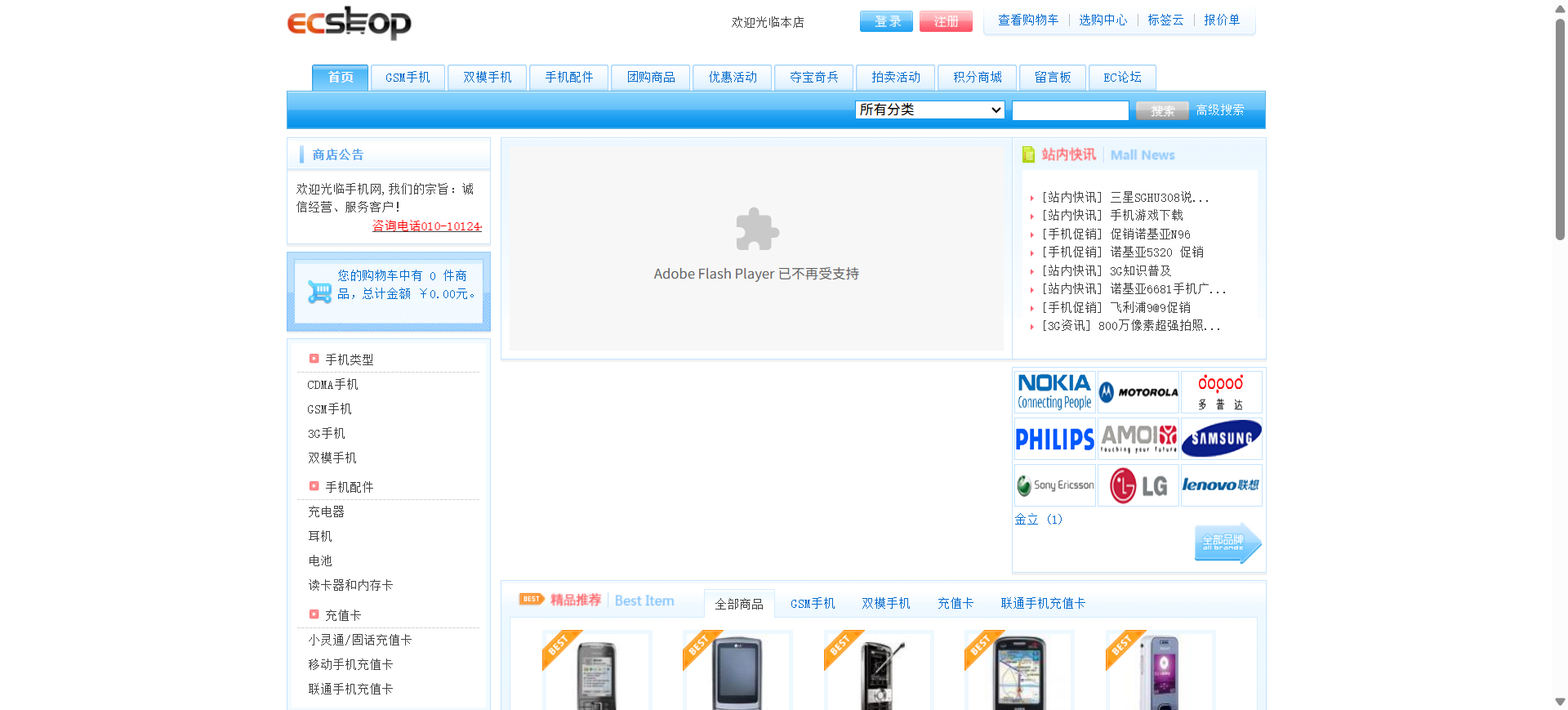
ECShop首页:http://192.168.0.7/ecshop/index.php(虚拟机ip)
ECShop后台管理中心:http://192.168.0.7/ecshop/admin/index.php(虚拟机ip)
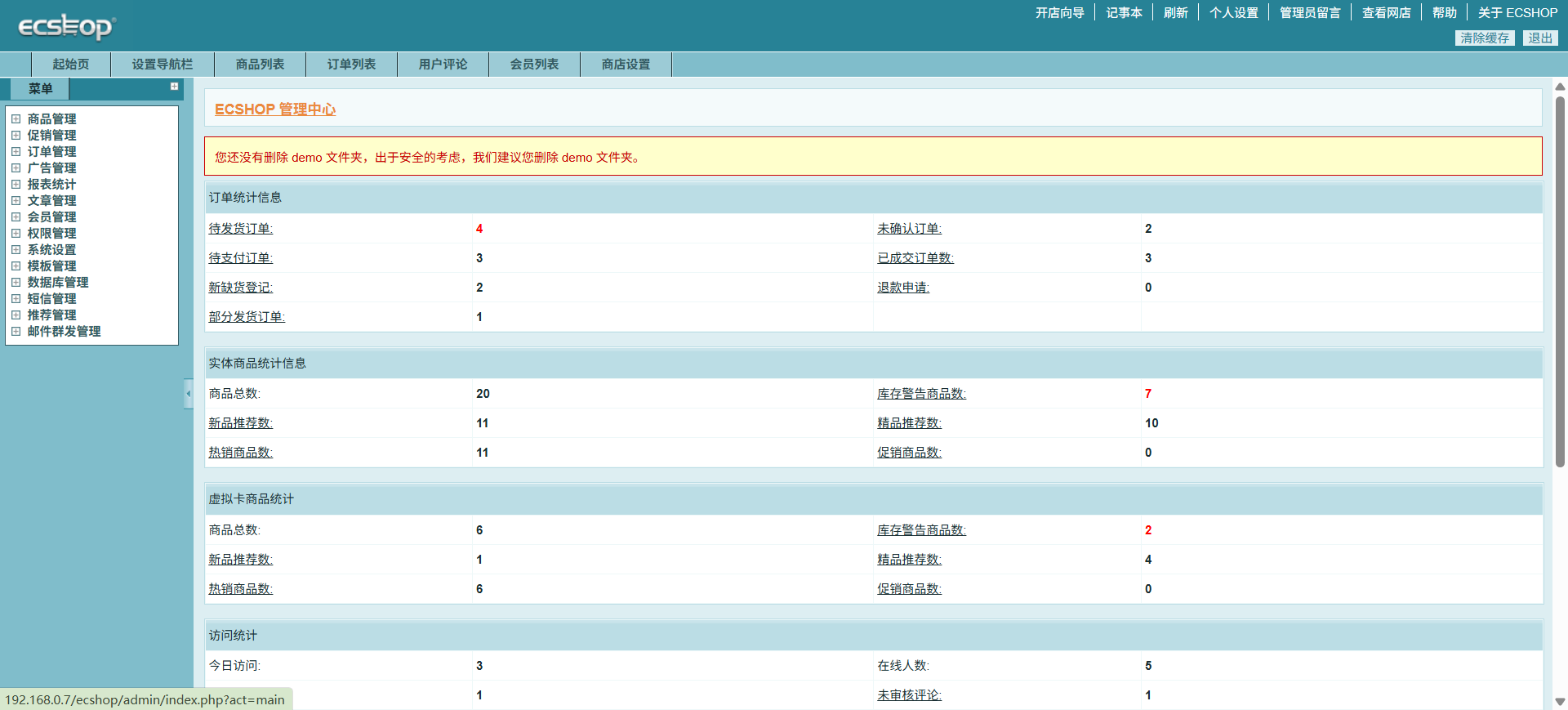
清除缓存后刷新页面
如果出现报错main或base文件,则相应运行以下代码(非必要)
#lib_base.php
sed -i "1215s/$file_suffix = strtolower(array_pop(explode('.', $file_name)));/$parts = explode('.', $file_name); $file_suffix = strtolower(array_pop($parts));/" /var/www/html/ecshop/includes/lib_base.php

#lib_main.php
sed -i "1329s/$ext = end(explode('.', $tmp));/$parts = explode('.', $tmp); $ext = end($parts);/" /var/www/html/ecshop/includes/lib_main.php
有问题再补充……
